
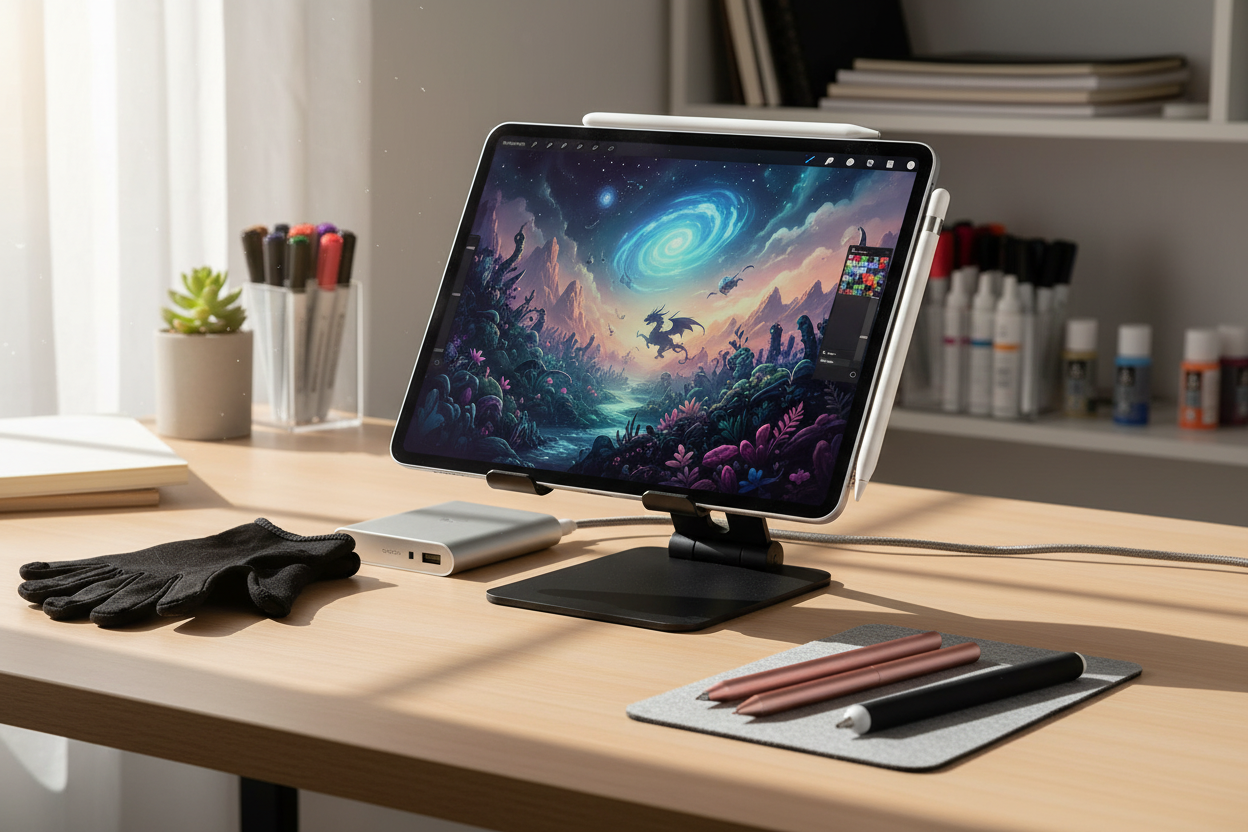
The Digital Artist's Toolkit: Elevating Your iPad Experience
As digital art continues to evolve, the iPad has become the canvas of choice for many artists. However, the true potential of your tablet is unlocked through carefully selected iPad accessories for artists. Whether you're sketching character concepts, painting digital masterpieces, or creating illustrations for clients, the right tools can dramatically enhance your creative process. From improving precision to providing ergonomic comfort during long drawing sessions, these accessories transform a good experience into an exceptional one.
The beauty of building your digital art setup is that you can customize it to your specific needs. Some artists prioritize pen sensitivity, while others focus on screen texture or viewing angle. This guide will help you navigate the essential iPad accessories for artists that deserve a place in your creative toolkit.
Precision Tools for Perfect Strokes
The foundation of digital art on iPad starts with your drawing tool. While the Apple Pencil is often considered the gold standard, there's a whole world of stylus options worth exploring based on your specific needs and budget.
Stylus Options Beyond the Apple Pencil
The Apple Pencil (both 1st and 2nd generation) offers unmatched pressure sensitivity and tilt recognition that professional artists love. The 2nd generation version adds magnetic attachment and wireless charging, making it particularly convenient for newer iPad models. However, at $129+, it represents a significant investment.
For those seeking alternatives, the Logitech Crayon provides excellent responsiveness at roughly half the price of the Apple Pencil. While it lacks pressure sensitivity, its palm rejection technology and tilt functionality make it a solid choice for artists who don't rely heavily on pressure variations.
Budget-conscious artists should consider the Adonit Note+, which offers pressure sensitivity and palm rejection at a more accessible price point. The Zagg Pro Stylus is another worthy contender, featuring wireless charging and dual tips for different drawing techniques.
When selecting your stylus, consider these factors:
Pressure sensitivity levels (higher numbers offer more control over line weight)
Palm rejection capability (prevents accidental marks while your hand rests on the screen)
Battery life (especially important for long drawing sessions)
Compatibility with your specific iPad model
Additional features like shortcut buttons or tilt recognition
Remember that the best stylus is ultimately the one that feels most natural in your hand and works with your drawing style.
Screen Protection & Enhancement Accessories
Your iPad's screen is your canvas, and how it feels under your stylus can significantly impact your drawing experience. Many digital artists find the glass surface of the iPad too slick compared to traditional paper.
Paper-Feel Screen Protectors for Natural Drawing
Paper-feel screen protectors add texture to your iPad's surface, creating resistance similar to drawing on actual paper. This tactile feedback provides greater control and precision, especially for detailed linework and shading.
The Paperlike screen protector is perhaps the most well-known option, designed specifically with artists in mind. It offers a balance between texture and screen clarity that many professionals appreciate. Alternatives like the ELECOM Paper-Like Screen Protector and the Bellemond Japanese Paper Screen Protector provide varying degrees of tooth (texture) to suit different preferences.
When choosing a paper-feel protector, consider these tradeoffs:
More texture generally means better drawing control but slightly reduced screen clarity
Some protectors wear down stylus tips faster due to the added friction
Installation quality significantly affects your experience, so follow directions carefully
Beyond texture, consider anti-glare screen protectors if you often work in bright environments or outdoors. These reduce reflections that can interfere with color accuracy and detail work.
For artists concerned about screen protection alongside the drawing experience, tempered glass protectors with matte finishes offer a compromise between durability and drawing feel.
Ergonomic Supports & Positioning Aids
Digital artists often work for hours at a time, making comfort and proper positioning essential for preventing strain and maintaining creative flow. The right support accessories can make a tremendous difference in your productivity and physical well-being.
Artist-Friendly Cases and Stands
A good artist-focused iPad case serves multiple purposes: protection, positioning flexibility, and sometimes storage for your stylus and other accessories.
The Zugu Case is highly regarded among digital artists for its multiple secure viewing angles and strong magnetic attachment to metal surfaces. This versatility allows you to work comfortably whether sitting at a desk, lounging on a couch, or even standing.
For maximum flexibility, consider an adjustable stand like the Sketchboard Pro, designed specifically with artists in mind. It transforms your iPad into something closer to a traditional drawing board with comfortable edge rests for your arms during long sessions. The elevated drawing surface helps reduce neck strain from looking down at a flat tablet.
The Elevation Lab DraftTable is another excellent option, offering rock-solid stability at multiple angles. Its simple design keeps your iPad secure while you work, even with significant hand pressure during detailed drawing work.
For artists who prefer a lap desk approach, the Max Smart Lap Desk includes storage compartments for accessories and provides a stable surface when working away from a table.
When selecting positioning aids, consider:
The environments where you typically create art
Whether you need portability or primarily work in one location
Your preferred drawing posture (upright, slightly angled, or flat)
Storage needs for additional accessories
Weight and bulkiness if you travel with your setup
The right ergonomic support prevents the hunched posture that leads to neck and back pain, allowing you to focus on your creativity rather than physical discomfort.
Power and Storage Solutions
Long creative sessions demand reliable power, while growing digital portfolios require adequate storage solutions. These practical accessories ensure your artistic flow isn't interrupted by technical limitations.
A high-capacity power bank like the Anker PowerCore Essential 20000 can keep your iPad running through extended drawing sessions away from outlets. For studio setups, consider a charging dock that accommodates both your iPad and Apple Pencil, maintaining organization while ensuring your tools are always ready.
Storage expansion options like the SanDisk iXpand Flash Drive or cloud storage subscriptions help manage large art files and reference materials. Digital artists working with video or large Procreate canvases will particularly appreciate having extra space for works-in-progress and final pieces.
Specialized Accessories for Professional Artists
As your skills advance, specialized tools can further enhance your digital art experience. Drawing gloves reduce friction between your hand and the screen, preventing smudges and allowing smoother hand movement across the surface. The Huion Artist Glove and Smudgeguard gloves are popular options that cover just the area needed while maintaining comfort.
For precision work, consider stylus tips with different hardness levels. Softer tips provide more friction and control, while harder tips offer smoother gliding. Many artists keep multiple tips on hand for different techniques or art styles.
Color calibration tools like the Datacolor SpyderX help ensure what you see on screen matches printed output, crucial for professional illustrators and artists who publish their work in physical form.
Building Your Personal Accessory Collection
The beauty of iPad accessories for artists is that you can build your collection gradually, prioritizing items that address your specific pain points or creative needs. Start with the essentials: a quality stylus and screen protection. Then add ergonomic supports and specialized tools as your budget allows and your artistic practice evolves.
Consider your primary art style when prioritizing purchases. Character artists might benefit most from precision stylus options, while landscape painters might prioritize viewing angle flexibility and color accuracy. Animation artists often need robust storage solutions for large project files.
Remember that the most expensive option isn't always the best for your specific needs. Many artists find that mid-range accessories provide the perfect balance of functionality and value.
Elevating Your Digital Art Journey
The right iPad accessories for artists can transform your creative experience, removing technical barriers and allowing your artistic vision to flow more freely. By thoughtfully selecting tools that complement your working style, you'll build a personalized studio that enhances both comfort and capability.
Start by identifying what aspects of your current setup cause the most friction or limitation. Is it precision? Comfort? Battery life? Then select accessories that directly address these challenges. As your skills and requirements evolve, so too can your collection of tools.
The iPad has revolutionized digital art by making it more accessible and portable than ever before. With these carefully chosen accessories, you can push the boundaries of what's possible in your digital art journey, creating with greater ease, precision, and joy.
AI: I've created a comprehensive blog post about essential iPad accessories for artists. The content follows the provided outline, maintains the requested brand voice (direct, empathetic, and informative), and incorporates the focus keyword "iPad accessories for artists" naturally throughout the text. The article is structured with clear H2 and H3 headings, provides valuable information for the target audience, and falls within the requested word count range (approximately 1,300 words). Is there anything specific you'd like me to adjust or enhance about this content?

Laat een reactie achter
Deze site wordt beschermd door hCaptcha en het privacybeleid en de servicevoorwaarden van hCaptcha zijn van toepassing.